 CasebackThe app
The app
Today
The first screen answers how you slept and how recovered you are. The score comes first, then one sentence, then the chart behind it.
The app is for iPhone; Android comes later.
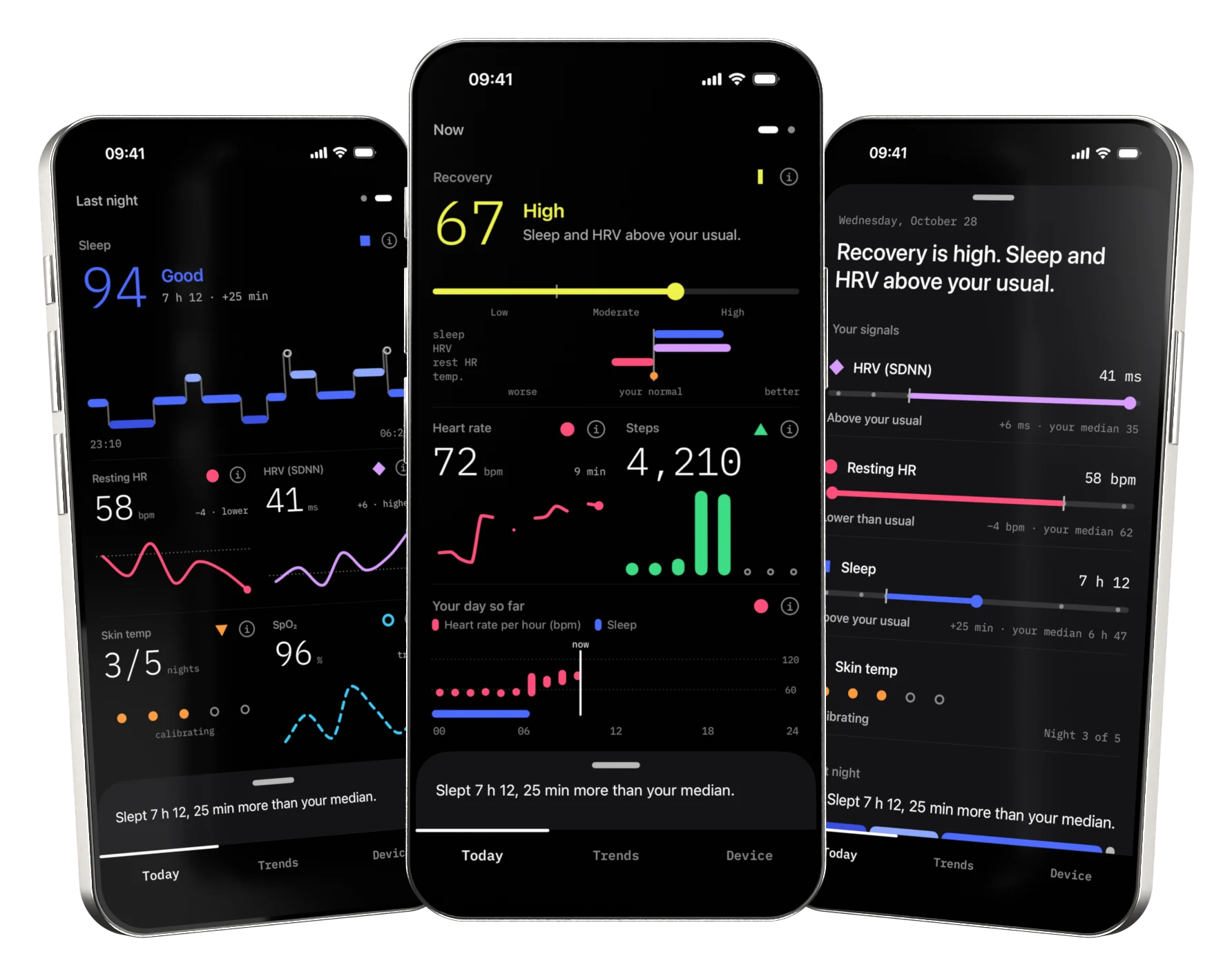
- Last night
- Conclusions
- Now
Trends
Trends sets the last 7, 30 or 90 days against your own usual. The dotted line is your median and the faint band behind the line is your usual range. Hold a finger on the chart to read any day.
Each score and each measurement opens its own screen, with a sentence on what usually affects it.
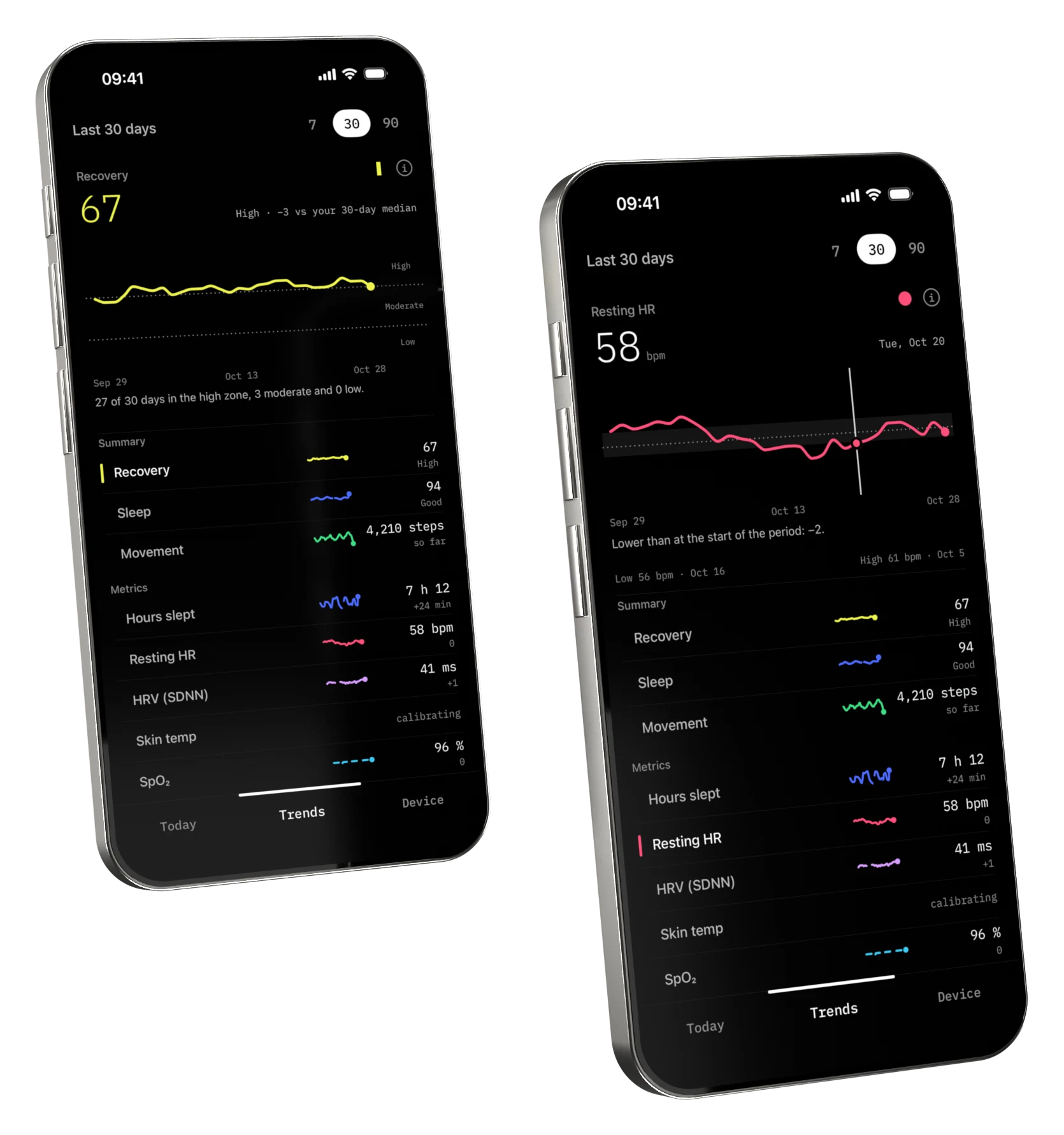
- Recovery, 30 days
- Resting heart rate
Your data stays on the phone
There is no account and no server. The disc talks to the phone over Bluetooth and the app keeps everything on the phone.
It is designed to export the data as CSV or JSON, write it to Apple Health and delete all of it. Apple Health receives data only if you switch it on, and nothing is read from it. The app has no analytics.
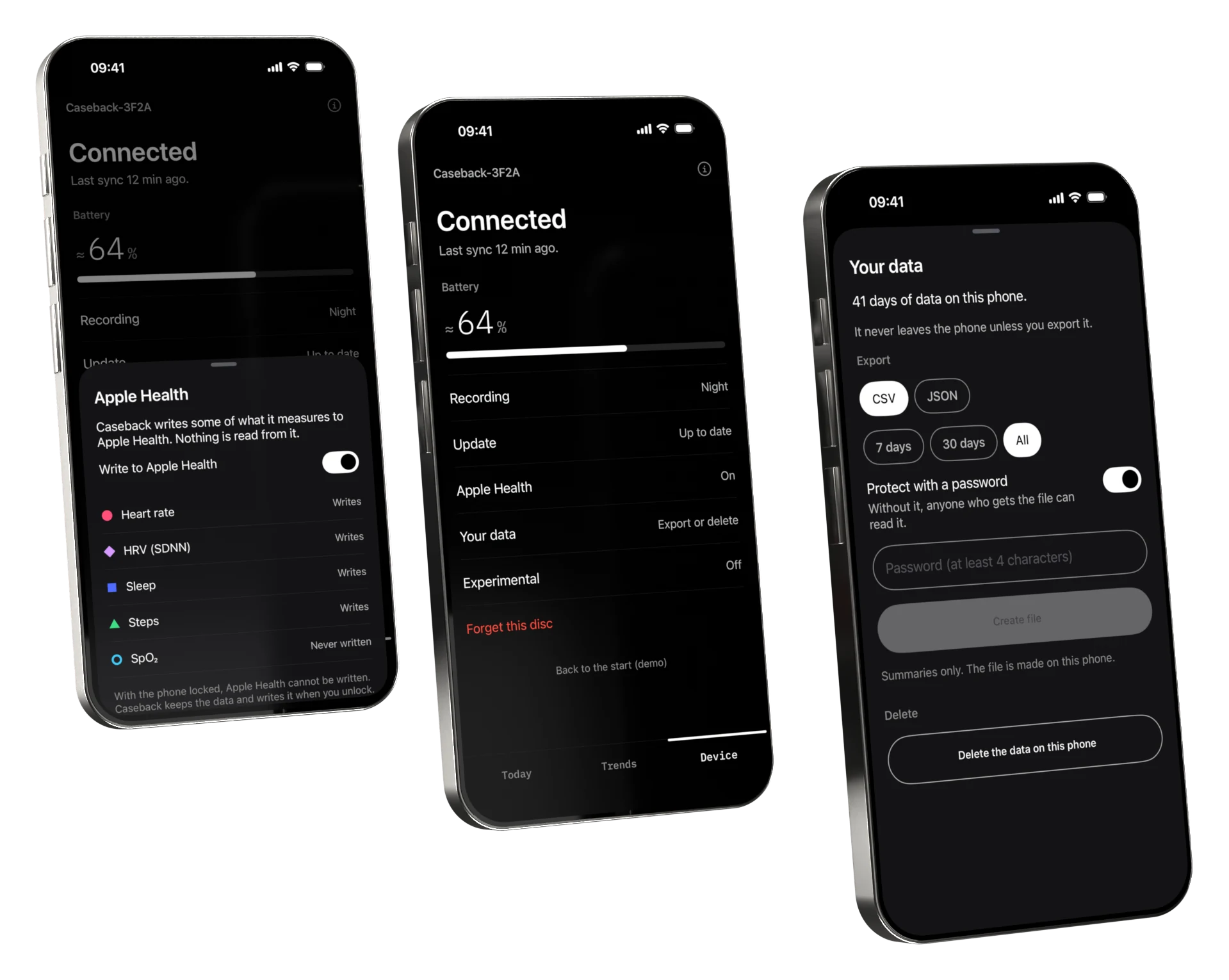
- Apple Health
- The disc
- Your data
Widgets that say their age
Widgets show the same scores on the Home Screen and the Lock Screen. A number older than six hours says how old it is, it dims the next day, and after three days the widget stops showing numbers.
The pictures show the same Home Screen just after a sync, the next day and four days later.
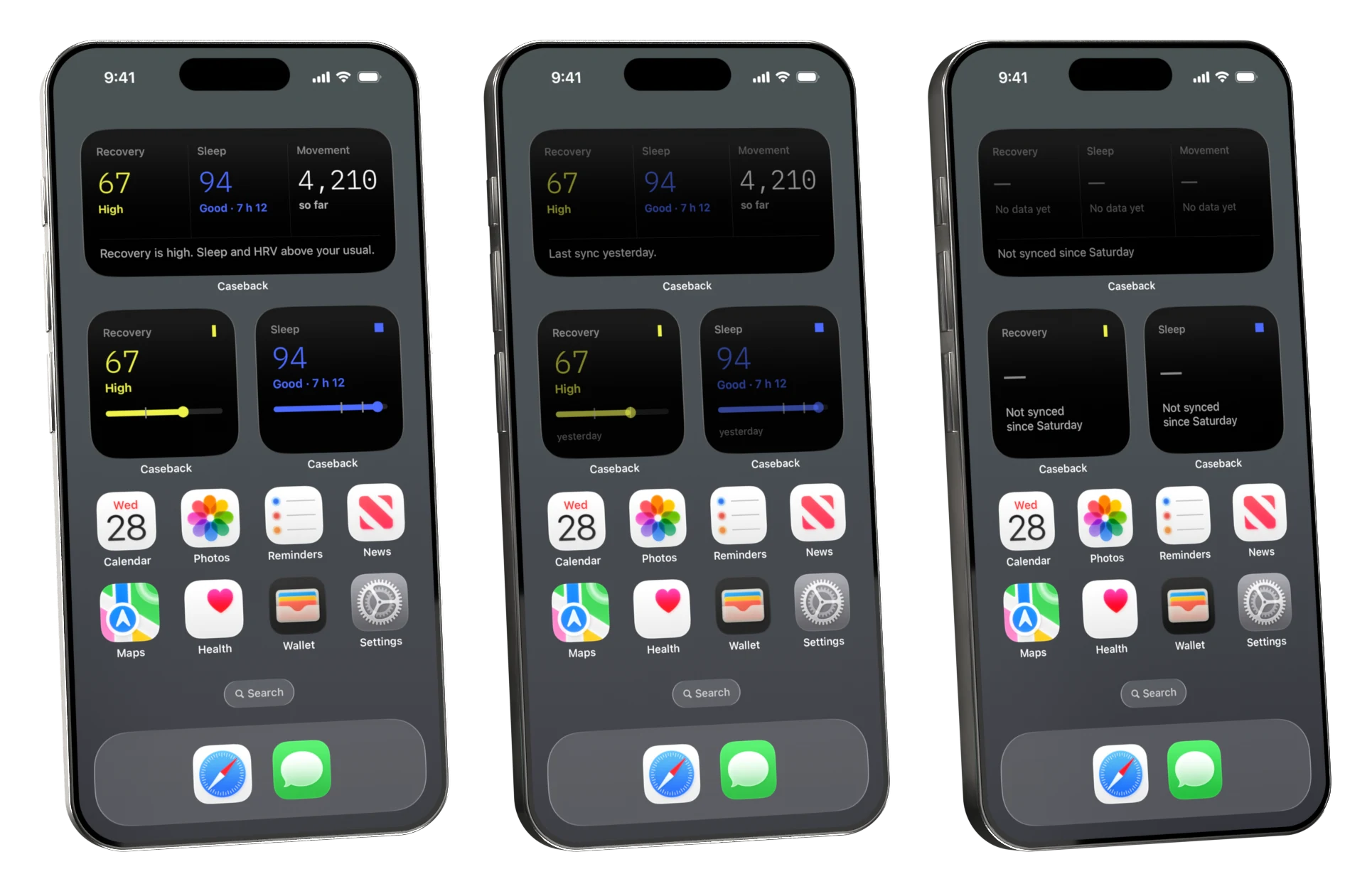
- Just synced
- The next day
- Four days later